

Starting a 3D printing business takes a clear product focus, a matching printer and prices built from real costs. Most new print shops begin at home with one machine and sell online before adding a second printer.
My name is Michal Sieroslawski, and I’m an entrepreneur. I help 3D printing businesses show up in Google and AI search. Customers increasingly turn to AI assistants like ChatGPT and Perplexity for suggestions. Being visible in those answers is now part of being easy to find.
This order settles the model and the true cost of each print before money goes into machines. Design rights and a safe workspace are sorted before the first listing goes live. The path to a running 3D printing business runs through the eleven steps below.
- Choose a 3D Printing Business Model
- Research Demand and Competing Sellers
- Write a 3D Printing Business Plan
- Price Every Print From Real Costs
- Fund the First Printers
- Register and Insure the Business
- Respect Design Rights and Safety Rules
- Set Up a Ventilated Print Workspace
- Buy Printers, Filament and Software
- Sell on Marketplaces, Stores and Fairs
- Surface in Google AI Overviews Maker Picks
1. Choose a 3D Printing Business Model
A 3D printing business model decides whether the shop sells finished products, printing services or design files. That choice shapes the printer, the buyers and the workload.
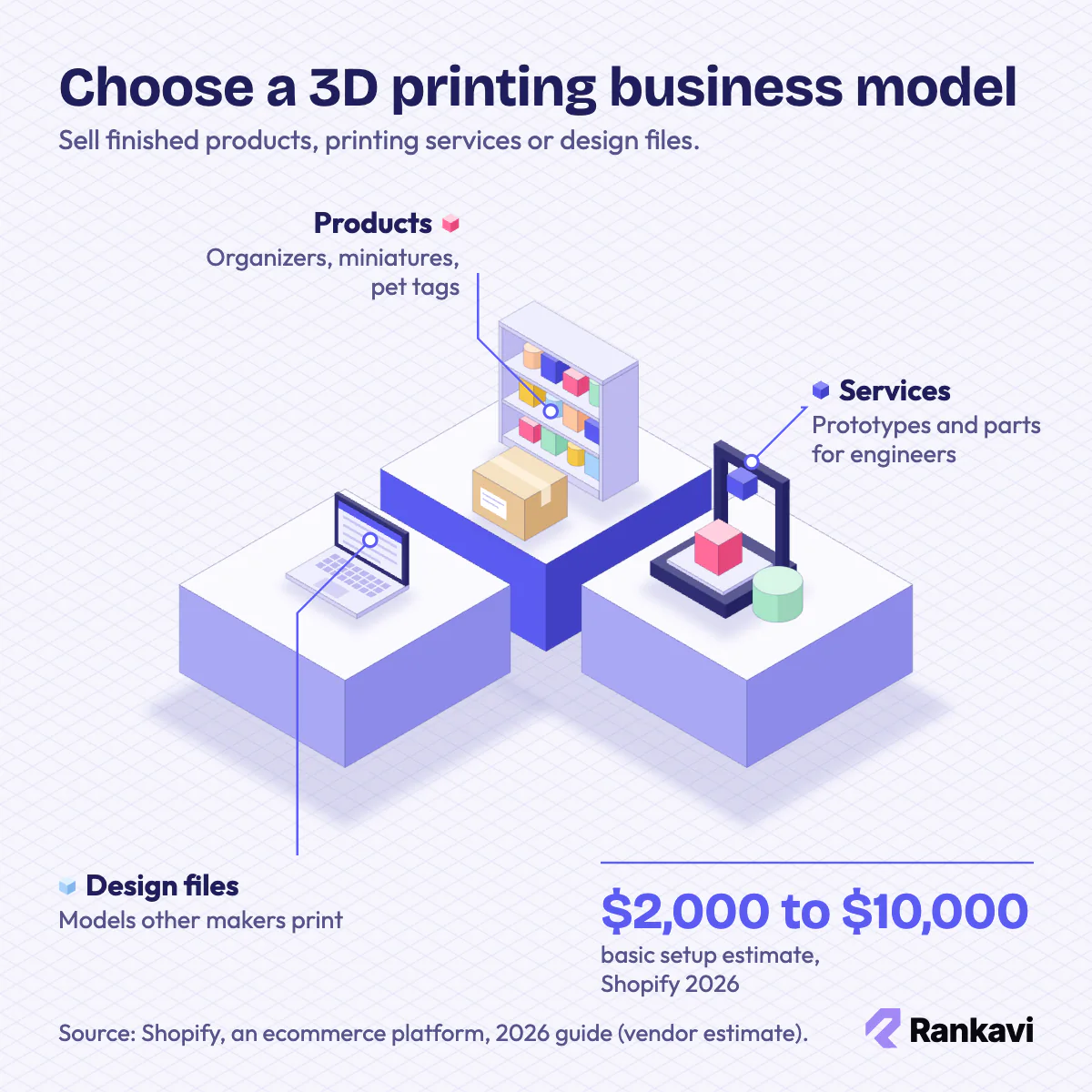
Product sellers print items for shoppers, such as organizers, planters, miniatures and pet tags. Service shops print prototypes and parts for inventors, engineers and architects. Designers sell digital files that other makers print.
Strong products solve a narrow problem or offer customization factories cannot match. Replacement knobs, cable holders and name plates fit that pattern. Tabletop gamers and cosplayers also pay well for detailed pieces.
The right model depends on budget, design skill and free time. Design files cost little to start but need modeling skill. Product shops need steady marketing. Print services need reliable machines and quick quotes.
Each model carries its own risk. Product shops face crowded marketplaces and thin margins. Service shops face unclear quote requests. File sellers face slow growth and copying. A shop can start with products and add services when repeat business clients appear.
Startup money at a glance:
| Item | Figure |
|---|---|
| Startup cost | $2,000 to $10,000 for a basic setup; $25,000 or more for industrial-grade production |
| Main costs | Printers ($300 to $700 each for good consumer models), filament, software, post-processing tools and marketing |
| Typical margin | Profit of at least 50% on products and 100% or more on services (vendor guidance, not a measured margin) |
| Time to open | Varies; a one-printer home shop can list products within weeks, while an industrial service waits on equipment (no sourced figure) |
Sources: Shopify, which runs an ecommerce platform, 2026 guide (vendor estimate). Creality, which offers consumer 3D printers, April 2026 guide (vendor estimates and guidance).
Model choice moves the budget more than any other decision. Shopify, an ecommerce platform, estimated $2,000 to $10,000 for a basic 3D printing setup in its 2026 guide. Creality is a Chinese maker of consumer 3D printers, and its April 2026 guide priced good business printers at $300 to $700.
“I currently only have 5 printers and that keeps me pretty busy and meets my demand.”
— A home-based product maker on the Bambu Lab forum
2. Research Demand and Competing Sellers
Market research shows which printed items buyers already search for and what they pay. That evidence keeps the first filament order focused.
Etsy is a marketplace where makers sell custom, handmade and printed goods. Etsy searches reveal how crowded a product is and where prices cluster. Google Trends shows whether interest is rising or seasonal. Reddit maker communities expose requests that no seller fills yet.
Competitor reviews point to weak spots. Visible layer lines, brittle parts and slow shipping are common complaints. Each repeated complaint marks a gap a careful new seller can fill.
Demand is easier to trust when it is measured. Useful signs include the number of listings per keyword, the price range and the review counts of top sellers. Tabletop miniatures, cosplay props, replacement parts and custom organizers are niches worth checking first.
Gift items sell around holidays, so print schedules need lead time before those peaks. A test listing or a pre-order confirms interest before any stock is printed.
Local demand needs a different check. Architects and engineering firms often send work to distant shops because they have not found a nearby printer.
The wider industry still grows. Wohlers Associates is an additive manufacturing research firm. Its Wohlers Report 2025 put global industry revenue at $21.8 billion in 2024, up 9.1%.
3. Write a 3D Printing Business Plan
A 3D printing business plan turns the chosen model into written targets for products, capacity and cash. Lenders ask for one before any loan.
A 3D printing plan usually holds six sections:
- Summary: goals and the chosen model
- Market: target buyers and research evidence
- Products: items, materials and finishes
- Prices: price points per product or service
- Marketing: sales channels and promotion
- Finances: projected sales and costs
The key assumption is printer capacity. Every product needs hours of machine time, so the plan states how many sellable prints each machine finishes per week.
A one-page plan is enough for a home shop, while lenders may want a full version. An operations section names suppliers, quality checks and who handles each task. A short risk list covers printer downtime, failed prints and slow sales. Milestones set dates for the first listing and the first sale.
4. Price Every Print From Real Costs
Pricing a 3D print sets a price that covers material, machine time, labor and overhead, then adds profit. Prices built only on filament weight lose money.
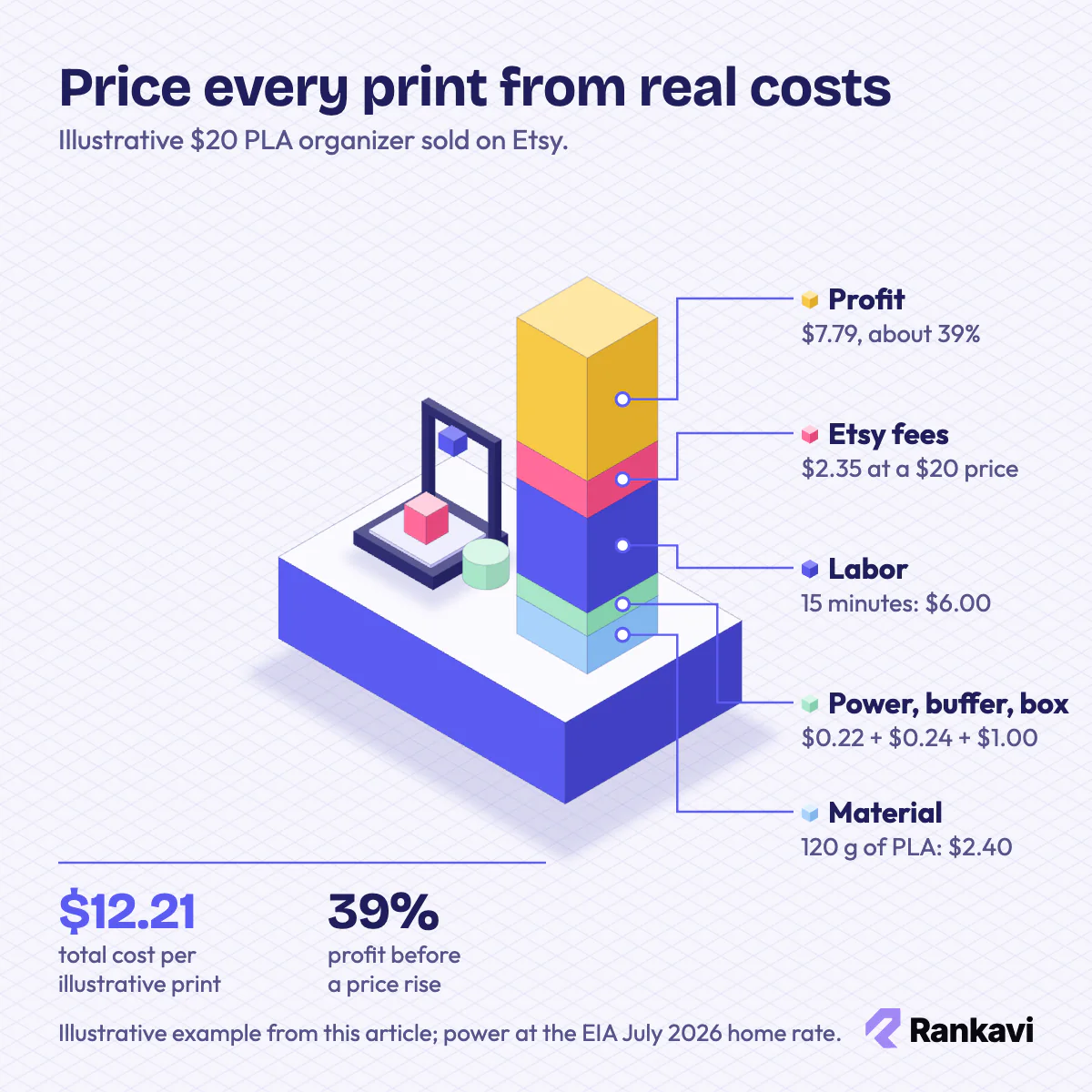
Material cost comes from the grams the slicer reports for each print. Creality’s April 2026 guide put polylactic acid (PLA) filament at $15 to $25 per kilogram. Machine time covers electricity and printer wear. Labor covers setup, finishing, packing and messages with buyers.
Finishing steps such as sanding and painting belong in the labor line. Each sales channel takes a different cut, so profit on one print differs between Etsy and an own store. Bulk orders deserve their own quote, because setup and labor spread across more parts.
Electricity is the benchmark most new owners underestimate in reverse: it is tiny. The U.S. Energy Information Administration (EIA), which publishes federal energy statistics, reported 18.31 cents per kilowatt-hour for homes in July 2026. Labor and fees, not power, decide break-even.
Failed prints belong in the price too. A failure buffer on material cost absorbs warped or detached parts. Resin prints usually need a larger buffer than filament prints.
Services carry a higher markup than products. Creality’s April 2026 guide set a 50% minimum profit target for products and 100% or more for services. The same 2026 guide priced prototyping work with design help at $50 to $150 per hour.
Worked example: An illustrative $20 PLA organizer on Etsy uses 120 grams at $20 a kilogram ($2.40). Power adds $0.22, a 10% failure buffer $0.24, packaging $1 and 15 minutes of labor $6. Etsy takes $2.35, so cost is $12.21 and profit $7.79, about 39%. At $26, fees reach $2.92 and profit hits $13.22, about 51%. A $500 printer then pays back in about 38 sales.
“I’ve learned through 3D Hubs that cheap and a lot of orders is way better than expensive and not so much orders. I was 4x as expensive as I’m now when I started. I barely got 1 order/month.”
— A 3D print seller on the Hubs Talk forum
5. Fund the First Printers
Funding a 3D printing business covers printers, filament, software and launch marketing before sales arrive. A one-printer start keeps that need small.
Personal savings fund most home print shops. Custom commissions and pre-orders bring in cash before larger material orders.
The U.S. Small Business Administration (SBA), which runs federal small business loan programs, backs microloans for equipment and working capital. As of 2026, the SBA microloan page cites an average loan of about $13,000. A loan fits best once the plan shows steady orders.
A business credit card can cover filament and software, but interest after any introductory period adds cost. Pre-orders and crowdfunding raise cash and test demand, though both create a duty to deliver on time. Savings, pre-orders and a loan can be combined.
Extra printers follow demand, not hope. A second machine makes sense when the first one runs nearly nonstop and orders still wait.
6. Register and Insure the Business
Registering a 3D printing business creates the legal entity that sells prints, collects tax and signs client agreements. Most solo makers file once funding is lined up.
Many home print shops start as a sole proprietorship. A limited liability company (LLC) separates personal assets from claims, which matters for functional parts and children’s items.
Print shops get an employer identification number (EIN) from the Internal Revenue Service (IRS) for banking and tax forms. A state seller’s permit covers sales tax on direct orders, while big marketplaces collect tax for most states.
Product liability insurance answers claims when a printed bracket or toy fails. Maker fairs often ask vendors for proof of cover.
Registration steps vary by state, and a city may require a home business permit. The local county or city office confirms what applies. A separate business bank account keeps records clean and supports the legal separation an LLC offers. A home insurance policy may not cover business equipment or customer claims, so the insurer should be asked.
7. Respect Design Rights and Safety Rules
Design rules determine which models a shop may print and sell. No special license exists for 3D printing itself, yet copyright and safety rules still apply.
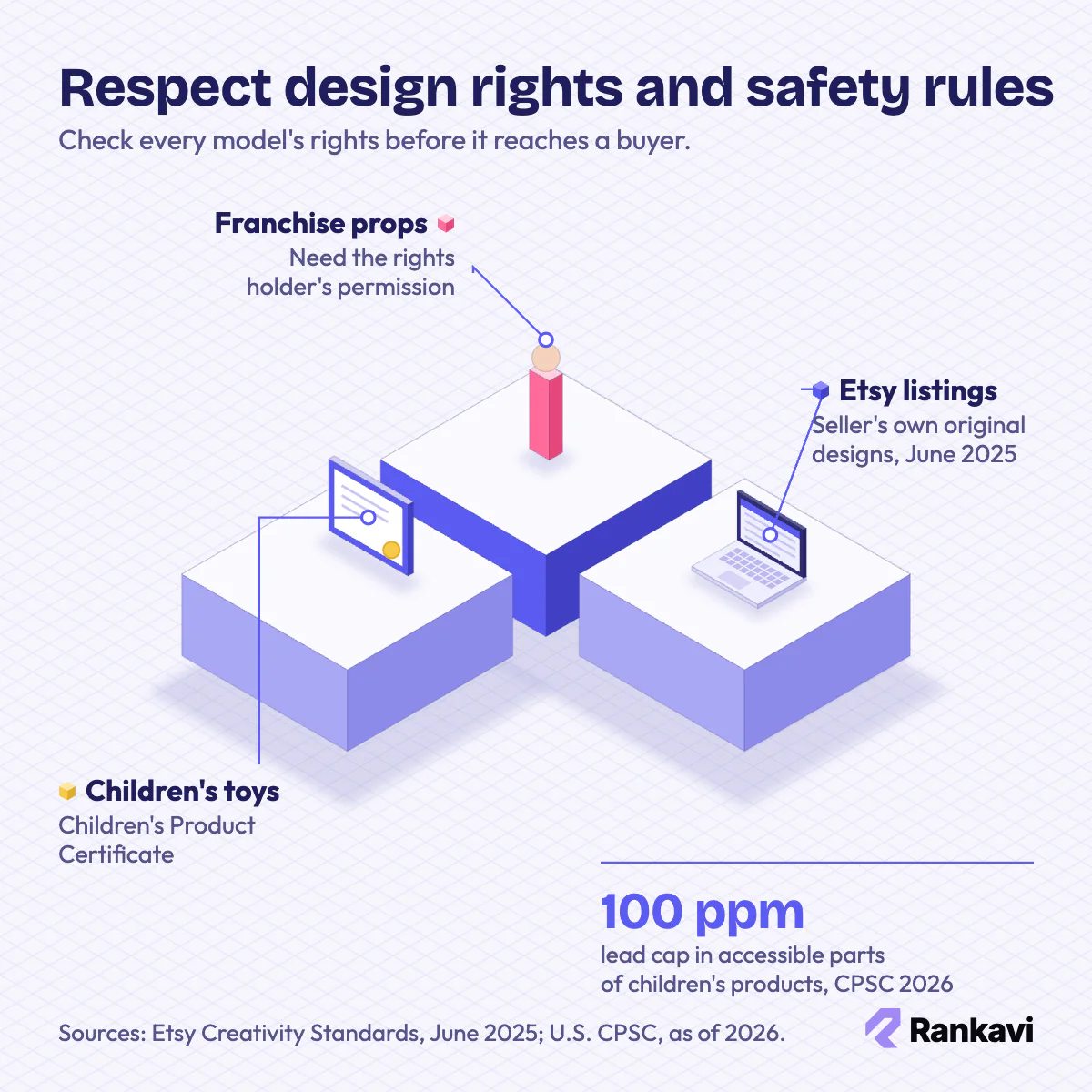
Copyrighted characters, logos and franchise props need permission. Downloaded files carry their own licenses, and many forbid commercial use. Original designs or files with commercial licenses keep a shop safe.
Etsy updated its Creativity Standards in June 2025. Printed items now must come from the seller’s own original designs, so shops relying on downloaded models risk removed listings.
Children’s toys and food-contact items face extra safety rules. Cookie cutters need materials suited to food contact.
The U.S. Consumer Product Safety Commission (CPSC) regulates the safety of children’s products. As of 2026, its rules cap lead at 100 parts per million in accessible parts. Makers of printed toys also issue a Children’s Product Certificate.
File licenses differ. Personal-use licenses forbid selling prints, while commercial licenses allow it, so each license is read before listing. Reselling someone else’s file is not allowed unless the license says so. Safety rules also matter for parts people rely on, such as brackets and mounts. Testing a part before sale and describing its limits lowers the risk of claims.
8. Set Up a Ventilated Print Workspace
A print workspace gives the shop a safe, steady place to run printers, finish parts and pack orders. A spare room, garage or basement usually works at the start.
Ventilation comes first. Some plastics and most resins release fumes and odors. A window or an extraction fan belongs in the room.
Power and temperature matter next. A standard home circuit handles a few printers, while larger farms need dedicated circuits. A stable room temperature keeps layers bonding evenly.
An enclosure holds heat steady and keeps drafts and pets away from printers. A filter inside the enclosure or a duct to the outside moves fumes out of the room. A smoke detector and a fire extinguisher belong near running printers.
Separate areas for printing, post-processing, filament storage and packing keep orders moving. When the home space gets crowded or power runs short, a rented unit is the next step.
9. Buy Printers, Filament and Software
Equipment buying involves matching the printer technology and materials to the products the shop sells. The wrong machine creates daily print failures.
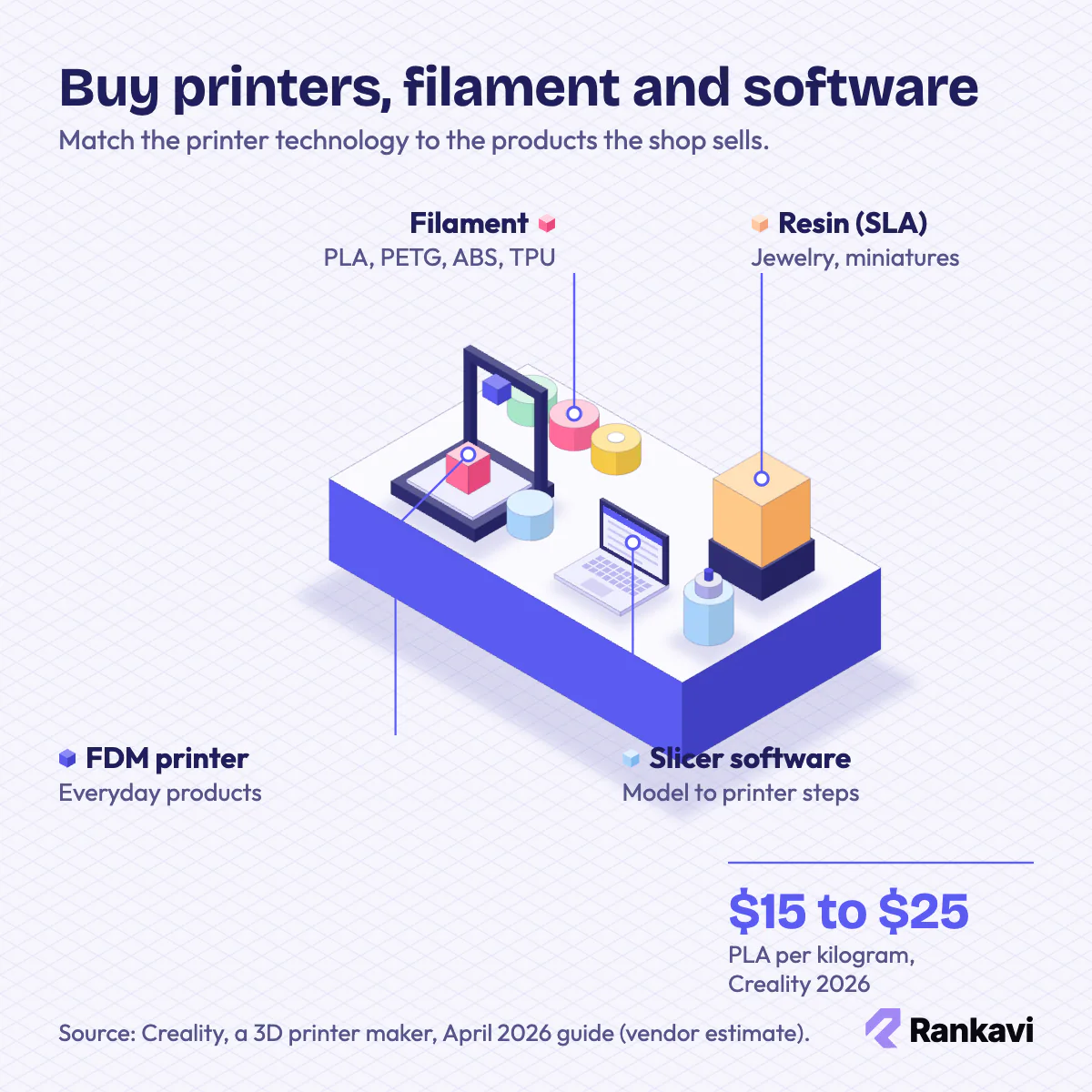
Three printer technologies:
| Technology | Best for |
|---|---|
| Fused deposition modeling (FDM) | Everyday products and functional parts |
| Stereolithography (SLA) resin | Jewelry, miniatures and dental models |
| Selective laser sintering (SLS) | Industrial-grade parts and prototypes |
Filament choice follows the product. PLA suits decor and is easiest to print. Polyethylene terephthalate glycol (PETG) adds toughness, acrylonitrile butadiene styrene (ABS) handles heat, and thermoplastic polyurethane (TPU) bends.
Slicer software turns each model into printer instructions. Tinkercad is a free browser-based design program from Autodesk. Tinkercad, Blender and FreeCAD cover most early design work.
Resin work adds post-processing gear. Wash stations, curing boxes and gloves come before the first resin order.
Resin gives finer detail than filament, but it needs gloves, ventilation and careful disposal of waste resin. SLS machines cost far more and suit service shops with steady orders. Most first shops start with an entry-level FDM printer.
Many filaments absorb moisture from the air, which causes weak or rough prints, so sealed storage helps. Slicer settings such as layer height and infill trade speed against strength and surface quality. Sample prints on a new printer come before paid orders.
“Inconsistent. I scrap about 10% of material due to prints that don’t pass inspection.”
— A seller of 3D printed car parts on the Grassroots Motorsports forum
10. Sell on Marketplaces, Stores and Fairs
Sales channels put printed products in front of buyers who already want custom items. Most new shops pair one marketplace with one own store.
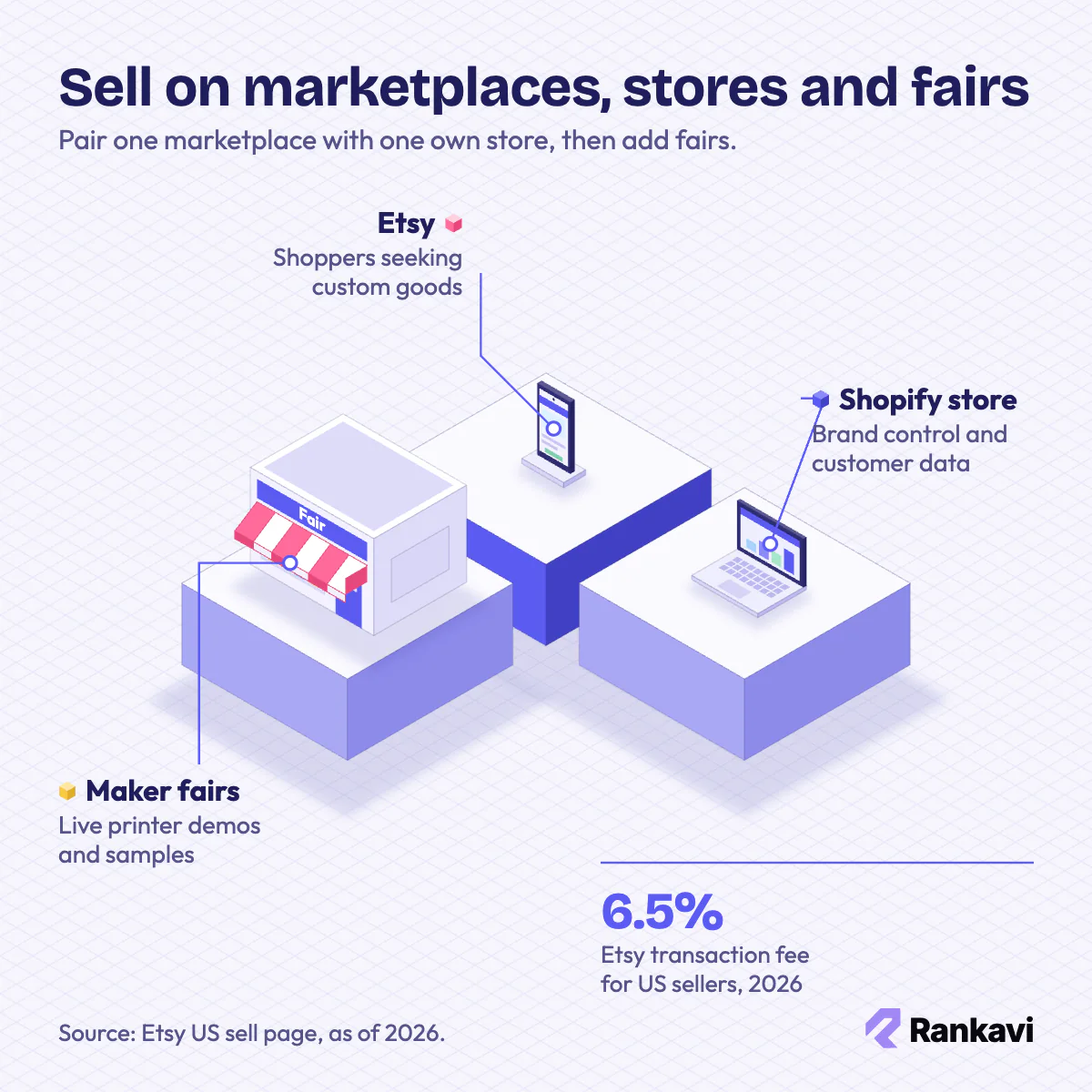
New print shops mix three main channels:
- Etsy: shoppers looking for personalized and handmade goods
- Amazon Handmade: a larger crowd of gift buyers
- Shopify store: a branded shop with full control over customer data and pricing
Marketplace fees belong in every print price. As of 2026, Etsy charges US sellers $0.20 per listing, 6.5% per transaction and 3% + $0.25 to process payment.
Maker fairs and conventions turn curiosity into sales. A live printer demo draws crowds, and samples prove quality better than flyers.
An own store keeps customer data and sets the fees, though traffic must be built from scratch. Marketplaces bring shoppers but add competition and fees. Local shops and offices may order signs, displays and replacement parts.
Clear photos and size details help buyers judge a print they cannot hold. Fragile prints need padded packaging, and shipping cost belongs in the price.
Short videos show printers at work. Time-lapses on TikTok and Instagram Reels reach buyers who love watching objects appear layer by layer.
11. Surface in Google AI Overviews Maker Picks
AI visibility decides whether a print shop gets named when buyers ask AI tools where to order custom parts. Shoppers now ask Google AI Overviews, ChatGPT and Perplexity for prototype printers or miniature sellers.
These answers draw on maker blogs, gift guides and review roundups. A small print shop named on those pages early stands a better chance of appearing in the summaries.
Rankavi is a software as a service (SaaS) platform that publishes brand mentions in articles on indexed third-party websites. Shops that want to try AI Overviews citation building for maker searches can start with one article.